

Overview
What Is the SDK?
The Optris Thermal Camera Software Development Kit (OTC SDK) lets you integrate Optris thermal cameras of the PI and Xi series into your applications. It provides a single library (libotcsdk) that covers the entire pipeline from raw sensor data to calibrated temperatures, false-color visualization, recording, and playback.
Version 12 introduces a modern callback- and pull-based C++ API (optris::sdk::Imager) alongside the legacy observer-pattern API, a flat C99 ABI with idiomatic .NET, Python and Rust bindings built on top of it, GPU and CPU processing backends, integrated visualization with 17 color palettes, MKV recording with pre-roll buffering, measurable snapshots that can be reopened later, a simulated imager for hardware-free testing, and unified measuring regions with rule-based alarms, hot/cold spot tracking and blob detection.
For more information on Optris, please visit: https://www.optris.com
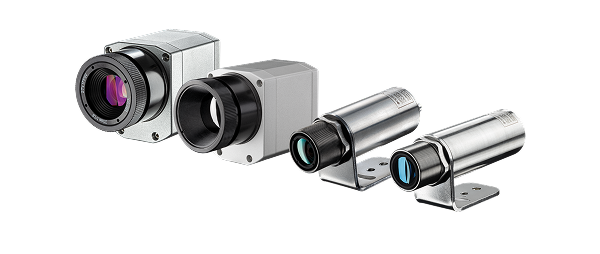
What Can I Do With It?
The SDK gives you access to calibrated thermal data from every supported camera. A single Imager object handles connection, calibration, frame processing, and teardown. You receive data through std::function callbacks or a synchronous pull API.

The vocabulary below (radiometry, NUC, emissivity, temperature range) is the subject of the next chapter, Thermal Measurement Basics. Read that first if any of it is new.
Key capabilities:
- Thermal streaming: receive calibrated temperature frames over USB or Ethernet at the camera's native frame rate.
- Visualization: colorize thermal data into BGRA images using any of 17 built-in palettes or a custom color table. Region-of-interest (ROI) overlays and hot/cold spot markers are rendered automatically.
- Measurement: define rectangular, circular, elliptical, polygonal, spline, line, or spot regions, and combine them using boolean operations (union, intersection, subtraction: a ring is a circle with a smaller one subtracted). Query per-region min/max/mean/percentile statistics and attach alarm rules.
- Recording and playback: record thermal streams to MKV with optional pre-roll buffering (a ring buffer of the last few seconds, so a recording can begin before the event that triggered it) and alarm-based triggers, in a layout standard media players can preview. Play back recordings with
Player, which shares the frame, region and alarm interface of a live camera, complete with seeking and speed control. - Measurable snapshots: write a still as colorized PNG (the picture with the measurement embedded), radiometric TIFF (temperatures, not a picture of them) or CSV, and reopen a saved PNG or TIFF later with
StillSourceto place a measuring region on it and read what the temperature was. - Simulated imager: create virtual cameras with deterministic test patterns for automated testing without hardware: seven synthetic patterns (gradient, uniform, hot spot, checkerboard, noise, from-file, frame-cycle) and four realistic scenes (radiating logo, circuit board, steam pipe, rotating machine).
- Inference buffers: register an external buffer (CPU, CUDA managed, DMA-BUF) and the SDK writes processed frames directly into your application's memory every frame.
- GPU acceleration: radiometry, the shutter correction (NUC) and temperature conversion run on the graphics card where one is usable. A camera whose GPU pipeline cannot start is moved to the processor pipeline, with the reason logged and readable from the API.
- Device management: enumerate cameras, monitor hotplug events, and auto-reconnect on disconnect with exponential backoff.
- Language bindings: C (
optris/sdk_c.h), .NET (Optris.Sdk), Python (optris_sdk) and Rust (optris-sdk), all over the same C ABI: one flat, hand-written C99 interface over the C++ API, which is what every non-C++ package is built on. They share one API version: a single integer, currently 34, that rises whenever the declared surface changes in a way a compiled caller can observe. It is not the product version (12.0.29), and it is the number to branch on; Versions says how to read both numbers at compile time and at run time. Each package has a chapter of its own: see Language Bindings. - Process interface (PIF): control analog and digital I/O channels on supported PIF hardware.
- Legacy compatibility: the v10/v11
IRImager+IRImagerClientobserver API remains available as a facade.
#include <optrissdk.h>

#include <atomic>
#include <chrono>
#include <iostream>
#include <thread>

int main() {
  auto imager = optris::sdk::Imager::Create();
  std::atomic<int> shown{0};
  imager->SetThermalCallback(
      [&shown](const optris::sdk::ThermalFrame& f) {
        // A camera that was just opened calibrates itself first, for
        // about 20 s. Those frames arrive too, and are not measurements.
        if (!f.GetMetadata().thermal_data_reliable) return;
        if (shown++ < 10) {
          std::cout << f.GetWidth() << "x"
                    << f.GetHeight() << " max="
                    << f.GetMaxTemperature() << " C\n";
        }
      });
  std::cout << "waiting for the camera's startup calibration\n";
  imager->Start();

  // Ten measurements, or give up after a minute.
  for (int i = 0; i < 600 && shown < 10; ++i) {
    std::this_thread::sleep_for(std::chrono::milliseconds(100));
  }
  imager->Stop();
}
#include <stdio.h>

#include "optris/sdk_c.h"

static void OTC_SDK_C_CALL OnThermal(const optris_sdk_frame *f,
                                     void *user_data) {
  optris_sdk_frame_info info;
  (void)user_data;
  optris_sdk_frame_info_init(&info, sizeof(info));
  /* Frames from before the startup calibration has finished arrive
   * too, and are not measurements. */
  if (optris_sdk_frame_get_info(f, &info) == OPTRIS_SDK_OK &&
      info.thermal_data_reliable) {
    printf("%ux%u max=%.1f C\n", info.width, info.height,
           (double)info.max_temp_c);
  }
}

int main(void) {
  optris_sdk_imager *camera = NULL;

  if (optris_sdk_imager_create(&camera) != OPTRIS_SDK_OK) {
    return 1;
  }
  optris_sdk_imager_set_thermal_callback(camera, OnThermal, NULL);
  optris_sdk_imager_start(camera);

  getchar(); /* stream until Enter is pressed */

  optris_sdk_imager_stop(camera);
  optris_sdk_imager_destroy(camera);
  return 0;
}
using Optris.Sdk;

await using ThermalCamera camera = ThermalCamera.Open();
camera.Start();

await foreach (ThermalFrame frame in camera.FramesAsync(CancellationToken.None))
{
    using (frame)
    {
        // Frames from before the startup calibration has finished
        // arrive too, and are not measurements.
        if (frame.Metadata.IsThermalDataReliable)
        {
            Console.WriteLine(
                $"{frame.Width}x{frame.Height} max={frame.MaxTemperature} C");
        }
    }
}
import optris_sdk

with optris_sdk.Camera.open() as camera:
    camera.start()
    print("waiting for the camera's startup calibration")
    shown = 0
    for frame in camera.frames():
        # A camera that was just opened calibrates itself first, for
        # about 20 s. Those frames arrive too, and are not measurements.
        if not frame.thermal_data_reliable:
            continue
        print(f"{frame.width}x{frame.height} max={frame.max_c:.1f} C")
        shown += 1
        if shown == 10:
            break
    camera.stop()
use optris_sdk::Camera;
use std::sync::atomic::{AtomicUsize, Ordering};
use std::sync::Arc;

fn main() -> optris_sdk::Result<()> {
    let mut camera = Camera::open()?;
    let shown = Arc::new(AtomicUsize::new(0));
    let counter = Arc::clone(&shown);
    camera.on_thermal_frame(move |frame| {
        // A camera that was just opened calibrates itself first, for
        // about 20 s. Those frames arrive too, and are not measurements.
        if let Ok(info) = frame.info() {
            if info.thermal_data_reliable
                && counter.fetch_add(1, Ordering::Relaxed) < 10
            {
                println!("{}x{} max={:.1} C", info.width, info.height,
                         info.max_temp_c);
            }
        }
    })?;
    println!("waiting for the camera's startup calibration");
    camera.start()?;

    // Ten measurements, or give up after a minute.
    for _ in 0..600 {
        if shown.load(Ordering::Relaxed) >= 10 {
            break;
        }
        std::thread::sleep(std::time::Duration::from_millis(100));
    }
    camera.stop()?;
    Ok(())
}
Where Do I Start?
The chapters are in reading order, and this is the thread through them.
- Learn what the camera is measuring: Thermal Measurement Basics is the front of the thread and assumes no thermography at all: emissivity, transmissivity, ambient and reflected temperature, what the internal shutter is for, why a reading drifts until the camera has warmed up, and what a temperature range costs to change. Every chapter after it uses that vocabulary. Skip it only if you have measured with thermal cameras before.
- Install the SDK: Installation is one chapter for every platform and every language: what your own application needs, where the packages are, what the Linux package does to your machine, and how to reference the SDK from C++, C, C#, Python and Rust. Install the platform package first and reference the SDK from it. The C# package
Optris.Sdkis also on nuget.org and the Python packageoptris-sdkon PyPI, and both carry the SDK library inside them; the Rust crates are on crates.io and still need the platform package installed. - Get it linking, and write the first program: Start Developing is one chapter for both: which of the five languages to pick, how to link against
libotcsdkfrom CMake, Visual Studio, .NET, Python and Rust including the single-headersdk.hoption, and a complete first program in C++, C# and Python. It ends in a table of where to go for each area in full. - Run something bigger: Example Applications covers the applications that ship as source, and
examples/cpp/,examples/c/,examples/csharp/,examples/python/andexamples/rust/hold the same areas in each language. - Learn the API: Using the API is the tour, with code you can compile, and API Reference is where to find the exact declaration of a type, a field or a method.
- Pick a language: the API chapters above describe the C++ surface. Language Bindings says what the other four are, which to pick, and where each one's documentation is, with the measured reach of each: C#, Python and Rust each have a guide of their own.
- Go deep on one thing: Specific Topics is 37 pages, each covering one part of the SDK in full, grouped by what you are doing.
- Coming from v11: the Migration Guide maps the old API onto the new one, method by method, with the removals and the before-and-after of each call that moved. What Changed in Version 12 is the whole of version 12 against version 11 by subject: what breaks, what was removed, added, changed and fixed, and what is still known to be wrong.
The manual ends with what you look up rather than read: where the package put each file, the changelog, Troubleshooting and Contact.