

Features
What the SDK does, in one page. Every subject below has a chapter of its own that goes into it properly; this page is the overview you read to find out whether the SDK does the thing you need, and where to go next.
At a Glance
| What you get | Where it is covered | |
|---|---|---|
| Getting frames | Open a camera by serial, take frames by callback or by pulling them yourself. Thermal, raw ADU, energy and BGRA views of the same capture | Your First Program |
| Making the numbers true | Emissivity, transmissivity, ambient and reflected temperature; radial distortion and size-of-source correction, both on by default; reference-temperature correction against a known source | Thermal Measurement Basics |
| Measuring areas | One region model (rectangle, circle, ellipse, polygon, line, point) combined with union, intersection and subtraction. Min, max, mean, percentiles, and the fraction of the region that actually had data behind it | Regions |
| Rules and alarms | Rules on any region statistic, device reading, PIF signal or value you publish, with a warning band, hysteresis, raise and clear delays and latching. Actions: drive a PIF output, call you back, save a snapshot, start or stop a recording | Alarms |
| Finding things in the scene | Blob detection inside a region, hot and cold spot tracking with a sampling aperture, and motion zones with their own events | Regions |
| Showing it | Seventeen colour palettes, automatic region overlay, colour windows (isotherms), and a canvas that rotates, scales and translates the picture without altering a measurement | Colour Palettes, The Canvas |
| Recording and playing back | Lossless 16-bit thermal plus per-frame telemetry, a pre-roll ring buffer so you capture what happened before the trigger, and a file an ordinary media player will open. A replayed recording measures regions and evaluates alarms exactly as a camera does | Recording |
| Snapshots | Colorized PNG with the raw data attached, radiometric TIFF, CSV, and a still written by this SDK can be reopened as a measurable source, so you can drop a region on last month's snapshot | Snapshot File Formats |
| Process interface | Analog and digital I/O on the camera's PIF, as alarm inputs and as alarm outputs, plus a fail-safe interrupt | Process Interface (PIF), Fail Safe |
| Talking to the camera | Optics, temperature ranges, resolution and frame rate; motorised focus; chip heating; Ethernet address configuration; hotplug monitoring and auto-reconnect | Device Communication, Operation Modes |
| No camera needed | A simulated imager with eleven deterministic test patterns, four of them full scenes (radiating logo, circuit board, steam pipe, rotating machine) | Virtual Imager (Simulated) |
| Two pipelines, one answer | A GPU pipeline and a CPU pipeline, chosen per camera automatically, gated against each other at zero tolerance on the measurement path | GPU Acceleration, Frame Processing Settings |
| Five languages | C++, a flat C99 ABI, and hand-written C#, Python and Rust packages over it | Language Bindings |
| When it goes wrong | An exception hierarchy, an error callback for non-fatal problems on background threads, and a pipeline report saying which pipeline a camera got and why | Error Handling |
Everything in that table is stable. The one deprecated surface is the legacy roi.h, superseded by Region; the legacy IRImager observer API remains supported as a facade. The exhaustive detail lives on the topic pages: Specific Topics is the index.
What It Looks Like
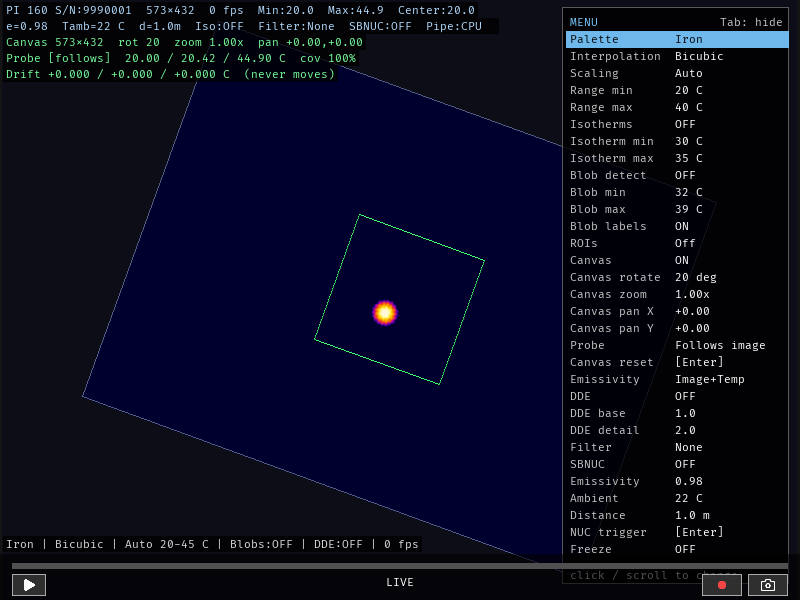
A canvas places the camera image in a working area that can be rotated, scaled and translated, and no temperature is interpolated at any angle or zoom; a region is mapped back through the placement and the original sensor pixels are read there:
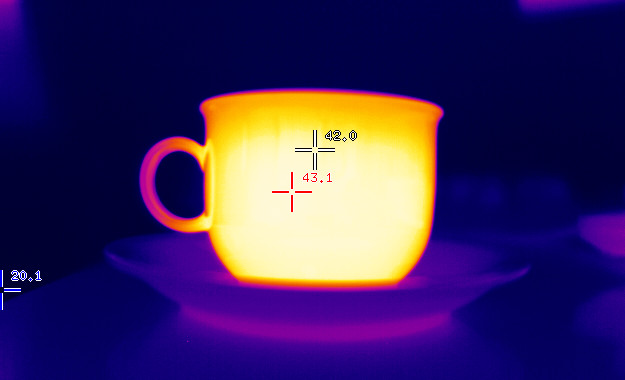
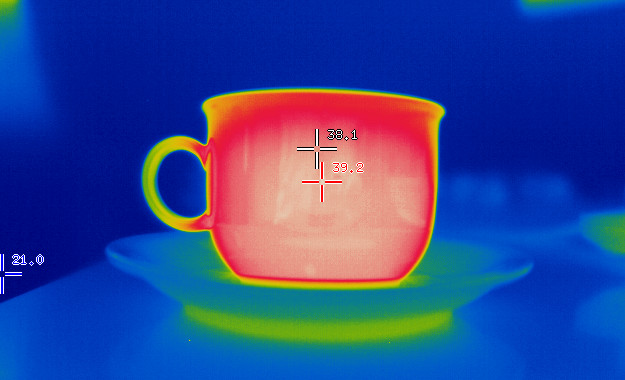
Seventeen palettes, with the region overlay drawn into the RGBA output for you:
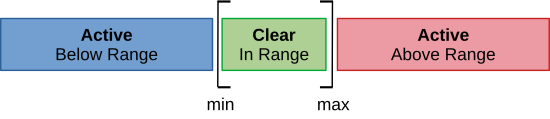
An alarm rule has a warning band below the alarm threshold and a hysteresis dead-band around each edge, so a reading hovering on a threshold does not chatter:
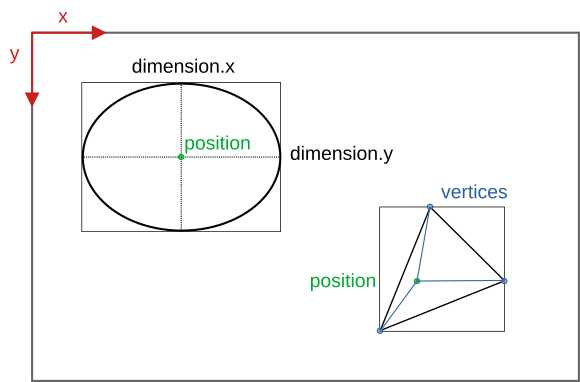
Measuring areas are defined in frame-normalised coordinates, so they survive a resolution change:
Which Cameras and Which PIFs
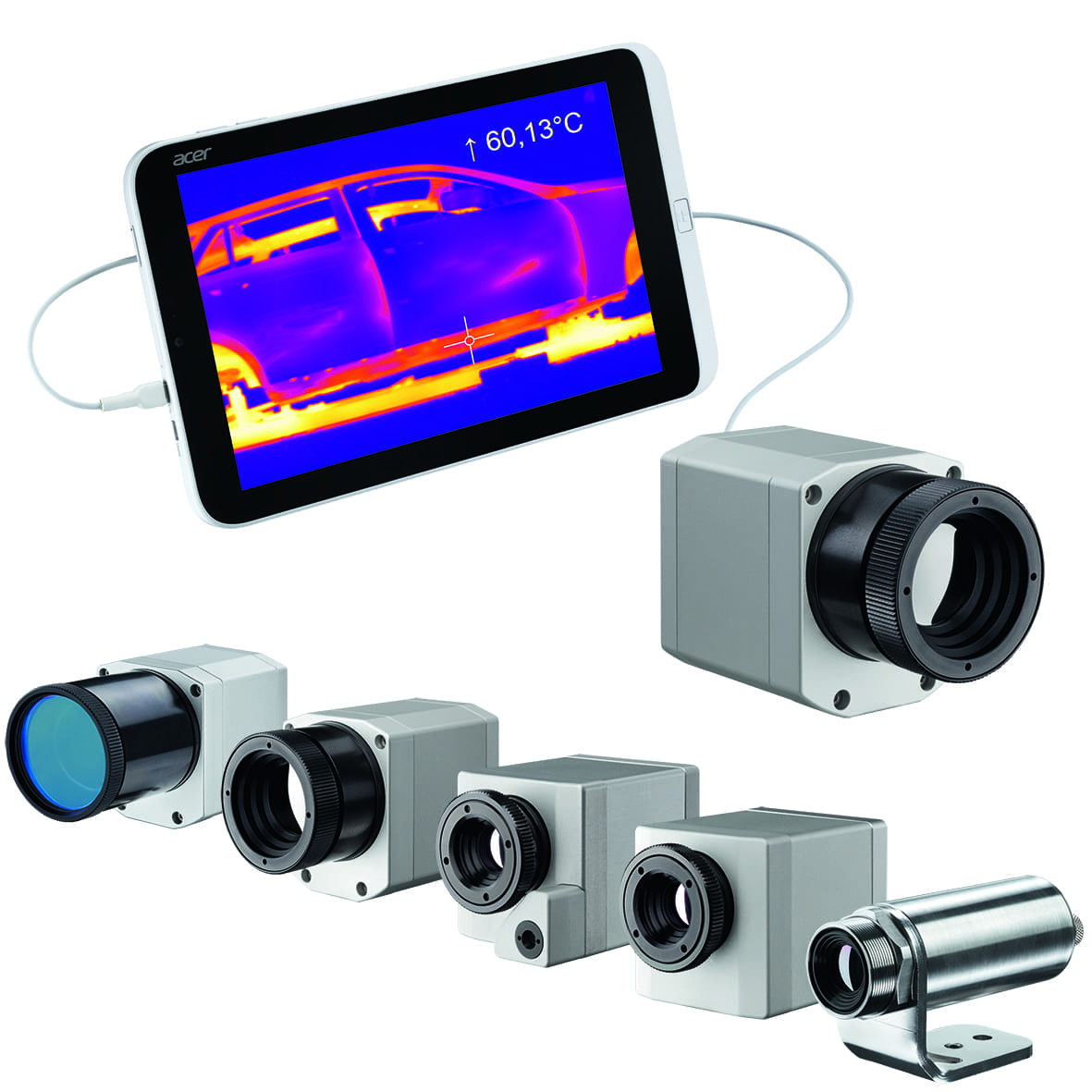
All Optris PI and Xi cameras, over USB and over Ethernet. Every model, with its optics, temperature ranges, frame rates and resolutions (and every process interface variant), is on its own page: Supported Devices. That is the page to check against the hardware on your bench.
Programming Languages
The SDK is implemented in C++23 and its CMake targets require C++17 of the code that links them; it compiles itself with more than it asks of a caller. Other languages:
- C:
optris/sdk_c.h, a hand-written C99 ABI over the new API. - C#: the
Optris.Sdk.NET 10 package, hand-written over the C ABI. - Python 3: the
optris_sdkpackage, hand-written over the C ABI in pure Python; NumPy optional. - Rust: the
optris-sdkcrate over the C ABI. - Legacy C# and Python: SWIG-generated bindings of the legacy
IRImagerAPI, for existing applications.
Runnable examples for each are under examples/cpp/, examples/c/, examples/csharp/, examples/python/ and examples/rust/, grouped by topic (discovery, frames, measurement, alarms, radiometry and so on); examples for the legacy API are under examples/legacy/, examples/csharp/legacy/ and examples/python3/.
How to get each one into your project is Installation. The C# and Python bindings come with the SDK packages; the Rust crates are on crates.io and need the SDK installed.
What Is New in v12
If you are coming from version 11, Migration Guide: v11 to v12 is the page that matters; it says what moved and what to write instead. This section is the short version of why there is a version 12 at all.
One API instead of four mechanisms
Imager::Create() replaces the observer pattern: register std::function callbacks for thermal, RGBA, raw, energy, error and connection events and call Start(), or pull frames yourself with AcquireFrame() / TryAcquireFrame().
#include <optrissdk.h>

int main() {
  auto imager = optris::sdk::Imager::Create();
  imager->SetThermalCallback(
      [](const optris::sdk::ThermalFrame& f) {
        // process frame
      });
  imager->Start();
}
static void OTC_SDK_C_CALL OnThermal(const optris_sdk_frame *f,
                                     void *user_data) {
  /* process frame */
  (void)f;
  (void)user_data;
}

optris_sdk_imager_set_thermal_callback(imager, OnThermal, NULL);
optris_sdk_imager_start(imager);
camera.Start();
await foreach (ThermalFrame frame in camera.FramesAsync(CancellationToken.None))
{
    using (frame)
    {
        // process frame
    }
}
camera.on_thermal_frame(lambda frame: None) # process frame
camera.on_thermal_frame(|frame| {
    // process frame
})?;
camera.start()?;
One measuring-area model
Imager::Regions() and Imager::Alarms() replace four unrelated v11 mechanisms (ROIs, measurement fields, alarm channels and a separate recording trigger) with one model. Alarms belong to their region rather than to a parallel list, and actions never run on the frame-delivery thread. roi.h remains as a deprecated compatibility surface. See Regions and Alarms.
A flat C ABI, and three hand-written bindings over it
include/optris/sdk_c.h is a C99 ABI of about 670 functions with one error convention, explicit ownership rules, a two-call pattern for string and array outputs and struct_size-versioned structs; a test enforces that it compiles as C99. The C#, Python and Rust packages are written by hand against it rather than generated, so each reads as code in its own language. See Language Bindings.
Two pipelines, measured against each other
The GPU backend offloads radiometry, distortion correction, NUC and the energy-to-temperature conversion to the graphics card, and the SDK picks a pipeline per camera while it opens. The two are held bit-exact on the measurement path; the one divergence is a noise filter, measured at Filters. imager->Processing().Info() reports which pipeline a camera got and why. See GPU Acceleration and Frame Processing Settings.
Visualization is part of the library
Seventeen palettes through SetPalette(), RGBA through SetBgraCallback(), regions rendered as overlays automatically, and a canvas that arranges the picture without touching a measurement. See Colour Palettes and The Canvas.
Recording that a person can open
Pre-roll captures what happened before the trigger; a replayed recording measures regions and evaluates alarms exactly as a camera does; rec::SessionRecorder writes several cameras into one file on one clock. The file layout is deliberate (a viewable placard track with a QR code in front of the measurement track), and What a third party may rely on says which of its properties are promises and which are incidental. See Recording.
Stills are measurements
StillSource::Open(path) reopens a snapshot this SDK wrote and gives it the same frames, palettes, regions and alarms a camera has. Only temperature stills open; a raw-ADU or energy file is refused by name. See Snapshot File Formats.
A camera you do not have
Imager::Create(SimulatedConfig{...}) is deterministic with a fixed seed and offers eleven patterns, four of them scenes. See Virtual Imager (Simulated).
Also new in v12
Blob detection inside a region, motion zones, external output buffers for ML inference (imager->Buffers().Add(), the SDK writes into your memory), hotplug monitoring, and EnableAutoReconnect() with exponential backoff that keeps every setting the application had applied.